
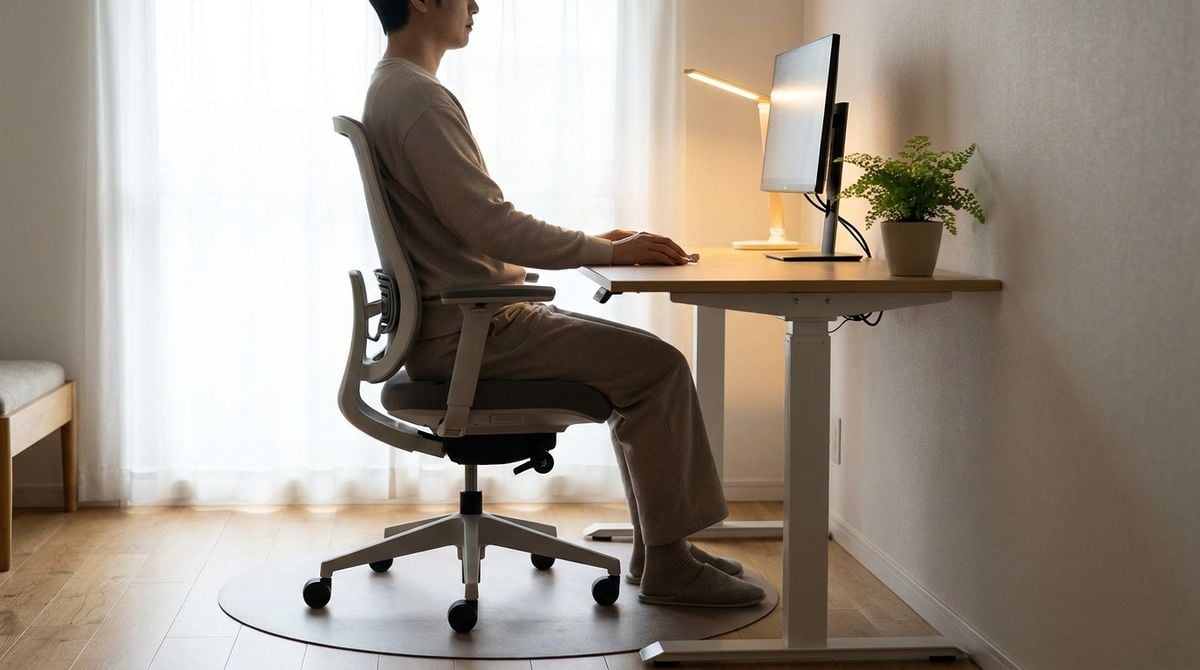
Small office owners rarely plan their workspace with the same care they give to products or customers. Chairs, desks and screens often arrive from a range of sources and end up arranged according to whatever fits the room. Over a busy day, small layout issues can add up to discomfort and fatigue for staff. Thoughtful ergonomics does not require a perfect setup, only a practical one that supports daily work.
This article provides general information about workplace setup and is not medical advice. It does not suggest any treatment for pain or injury, and it does not claim that any product prevents a condition. Its purpose is to point out where small changes make a difference and where chasing an ideal layout costs too much. Staff with concerns should speak with a qualified health professional rather than relying on general tips.
Starting With the Basic Layout
A simple layout check begins with where the screen, keyboard and chair sit relative to one another. Screens should sit at a comfortable distance and height for reading without leaning forward. Keyboards are easier to use when the wrists stay relaxed rather than bent sharply. Walk through a typical workday to notice where people stretch, reach or twist most often. A few minutes of observation usually reveals problems that a design review would miss.
Readers may also want to visit eastavenuebooks.com. Use them as a reference when someone asks about a change. Writing the standard down also helps new staff set up their desks without guessing. Consistency across desks makes the whole office easier to support and maintain. A short written standard can guide new staff as well, so the setup does not depend on memory alone.
Chairs That Support Movement
A chair does not need to be expensive to be supportive. Adjustable height, a stable base and a backrest that follows the natural curve of the body matter more than fancy materials. Armrests should allow shoulders to relax without lifting. Test chairs in the space where people will actually sit, since a showroom can be misleading about comfort. Trying a chair for a full hour says more than a quick sit in a store.
You can also visit snm-education.com for more reading. Short walks, standing breaks and simple stretches can help more than a single premium seat. Encourage staff to adjust their settings at the start of each day. Small habits tend to last longer than expensive equipment purchases do.
Desk Height and Screen Placement
Desk height should suit the people using it, which makes adjustable desks useful in shared offices. Screens placed too low encourage slouching, while screens placed too high cause neck strain. Keep the top edge of the monitor roughly at eye level. Glare from windows or overhead lights often matters as much as the height itself. Moving a desk a little away from a bright window can change the whole experience.
For a related read on this site, see Garden Business Payment Notes With Digital Coins. Use it to build a short checklist for new hires. Revisit the layout when equipment changes or when a team moves to a different room. A regular check keeps small problems from growing into complaints that take weeks to resolve.
Budgeting for Improvements Without Overspending
Owners often assume that comfort requires a large budget, but many fixes are inexpensive. Footrests, monitor stands and cable trays can improve a setup for modest sums. Prioritize the workstations where staff spend the most hours each day. Spreading upgrades over several months keeps cash flow steady and makes each change easier to evaluate. Staff also feel more involved when they can see improvements arriving one at a time.
Perfect ergonomics is an unrealistic goal in most small offices. Trying to reconfigure every room at once often leads to disruption and delay. A sensible sequence of practical changes usually does more good than an ambitious overhaul. Good enough setups that people actually use are better than ideal designs that sit unused in a corner.
Listening to Staff Feedback
Staff members usually know which parts of their workday feel uncomfortable. A short, anonymous survey can reveal patterns that a manager might miss. Ask simple questions about noise, lighting, chairs and reach distances. Responding quickly to reasonable requests builds trust and encourages people to speak up early.
Some concerns may point to health issues that need professional advice. Managers should encourage staff to seek qualified care rather than guessing at solutions on their own. Keep the conversation respectful and focused on practical adjustments within the office. Ergonomics works best when it is a shared responsibility rather than a single manager’s project.
Keeping the Office Workable
Ergonomics in a small office is a set of sensible habits, not a one-time renovation. Check the basic layout, support movement, adjust screens thoughtfully and listen to feedback. These steps create a workspace that is comfortable enough for daily work. Any individual health concern belongs with a qualified professional who can assess the situation directly.